

Welcome to Prompt Studio
 AF
AFA while ago, I found myself with less time to write code. I had to get more done with fewer hours at the keyboard, so I leaned on coding agents. They helped, up to a point.
Once I ran a few of them at the same time, the work got hard to follow. One agent drifted from what I asked. Another one finished, and I didn’t notice for an hour. Reviewing everything they produced became a job of its own.
So I did what many people who work with agents end up doing. I built small tools to fill the gaps. A button that opened the right branch. A script that reviewed a finished change. A page that showed which agent was waiting for me.
The tools were never the hard part
Each of those tools took an afternoon. Keeping them alive took much longer. Every one of them needed a place to show up, somewhere to keep what it knew, a way to tell me when something happened, and a way to work with the others. I rebuilt that plumbing again and again, and none of the tools knew the others existed.
The tools were also too specific to ask anyone else for. Nobody would add “open my design file next to this ticket” to their product. It only made sense for my work.
A place for the tools you build
Prompt Studio is the place I wanted for those tools. It takes care of the shared parts: where tools appear, where they keep their data, how they let you know something happened, and how agents work next to you. You describe what you need, and your agent builds it as an extension. Once installed and enabled in your project, it lives next to your other tools. Extensions can expose commands and data that other tools use; those connections still have to be built.
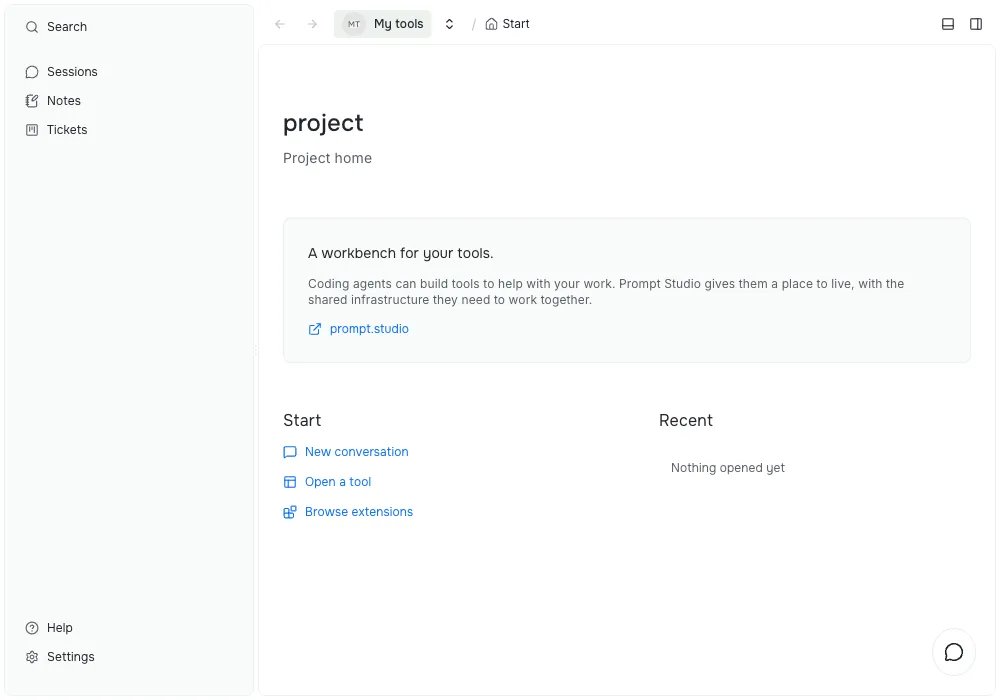
A recent view of the workbench, with Notes and Planner enabled. This post was first published on April 24, 2026; its text and screenshot have since been updated.
Some of the tools I use every day started as one sentence to an agent:
- a review that starts by itself when an agent finishes a change
- a board that shows every ticket and which agent is working on it
- a panel that opens Storybook for the branch I’m looking at
None of these belong in the core of Prompt Studio. They belong to my work, and yours will look different.
Keep the agents you already use
Prompt Studio works with Claude Code, Codex, and OpenCode. You keep the agent you trust. Prompt Studio gives it a place to work and gives you a clear view of what it did. You install and sign in to the agent separately; Prompt Studio’s harness extensions connect to it.
Where to start
Download the desktop app or install the command line tool, then open a folder. The getting started guide walks you through your first project. Then ask an agent to build a small tool for one thing you want to make easier. You do not have to write the extension code yourself, but you should try the result and check that it does what you asked.
Prompt Studio is in alpha and is not ready for general use. Try it with a project you can throw away, and expect changes while the platform takes shape. The extension API has its own versioning rules, including deprecation before removal. Check the release notes before updating. I’ll use this blog to share what changes and what I learn along the way.
I can’t wait to see what you build.